

GroundControl
GroundControl is a desktop application that runs on a local machine in your lab. It acts as the secure edge gateway between your physical instruments and the UniteLabs cloud, hosting and managing connector executables, executing real-time commands, and streaming telemetry back to the platform.
You need one GroundControl installation per edge machine (i.e., per machine that is physically connected to lab instruments).
System Requirements
| Platform | Requirement |
|---|---|
| macOS | macOS 10.15 (Catalina) or later — Intel and Apple Silicon |
| Windows | Windows 10 (64-bit) or later |
| Linux | Ubuntu 22.04 AMD64, Raspberry Pi OS 64-bit (RPi 4/5), or any modern distro with a desktop environment |
Download
Download the latest release of GroundControl for Windows, macOS, and Linux from our download page:
Install
Download and open the universal DMG (supports both Intel and Apple Silicon). Drag the app to your Applications folder and open it.
Download and run the MSI installer. Follow the installer prompts; administrator rights are required.
Download the installer script from the download page, make it executable, then run it. The installer downloads GroundControl and moves it into the correct location for you:
chmod a+x install_unitelabs_linux.sh
./install_unitelabs_linux.sh
Full Raspberry Pi 4/5 support is included in the ARM64 build.
Auto-Updates
GroundControl checks for updates automatically. When a new version is available, you will be prompted inside the application to download and install it. Updates are signed and delivered securely.
Initial Configuration
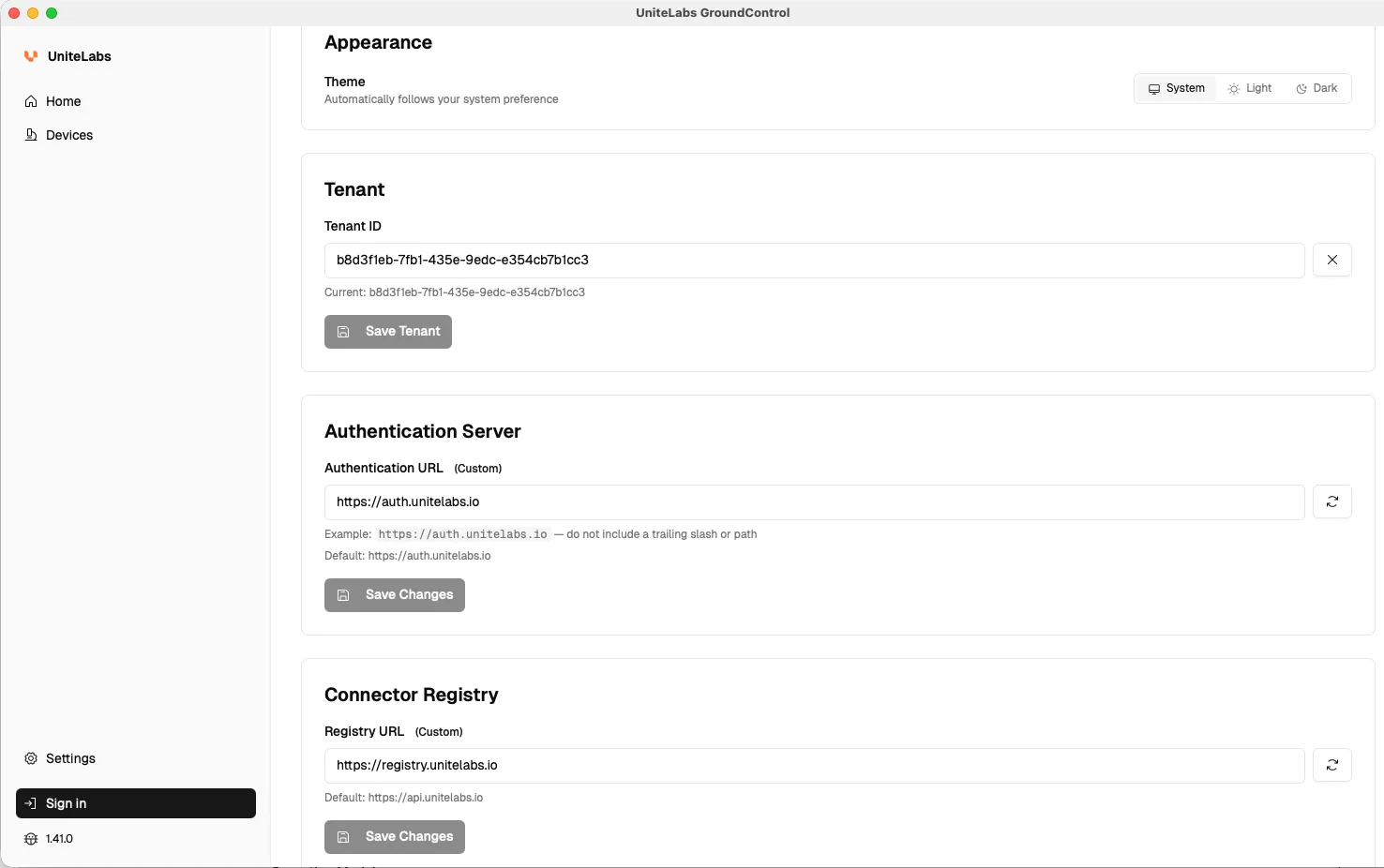
On first launch, open Settings. The settings serve two purposes: they define the tenant that GroundControl authenticates with, and the registry it downloads connectors from.
- Tenant ID: your UniteLabs tenant identifier, a UUID. You will find it in your welcome email or by asking your UniteLabs contact.
- Authentication URL: the authentication server used for sign-in. Keep the default unless instructed otherwise by UniteLabs.
- Registry URL: the connector registry that GroundControl downloads connectors from. Keep the default unless instructed otherwise by UniteLabs.
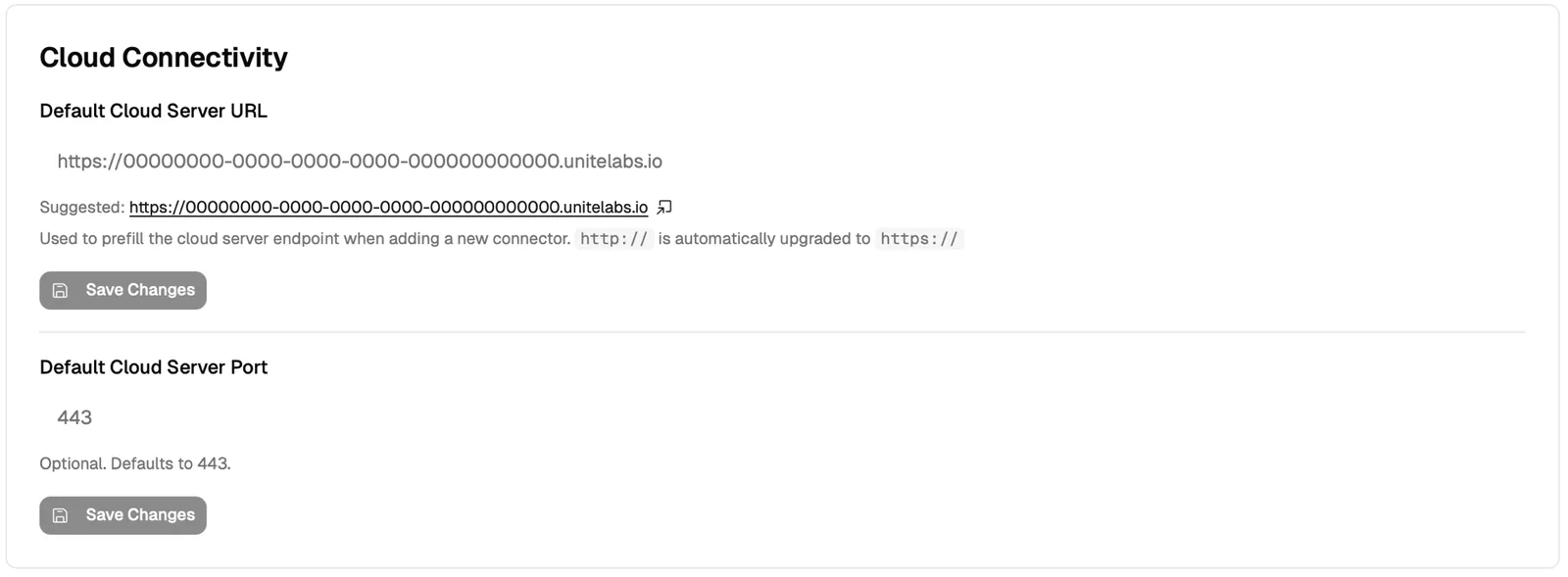
- Default Cloud Server URL (GroundControl 1.44 and later): your tenant's cloud endpoint. GroundControl derives a suggestion from your Tenant ID and shows it under the field as
https://<tenant-id>.unitelabs.io. Click the suggestion to accept it. If your tenant is deployed differently, your UniteLabs contact gives you the correct endpoint. GroundControl prefills the Cloud Connectivity section from this value for connectors that declare a single cloud server endpoint. Connectors that declare a list of endpoints keep the placeholder, so enter the value by hand. Without a working cloud connection a connector stays local: invisible in the platform, unreachable for the SDK and for workflows. Enter the URL without a port;http://is upgraded tohttps://automatically. - Default Cloud Server Port (GroundControl 1.44 and later): optional, defaults to 443. Keep it unless instructed otherwise.
Both cloud fields arrived in GroundControl 1.44. On older versions, and for connectors the prefill does not reach, set the endpoint per connector in its Cloud Connectivity section.
Sign In
Click Sign In in the bottom left navigation bar. Your browser opens the sign-in page of the configured authentication server. Sign in with your UniteLabs account credentials (username or email and password, or Google). Afterwards, the browser returns you to GroundControl.
Once signed in, GroundControl can download connectors from the registry. Continue with Connector Configuration to add a device and connector.
.unitelabs in the current user's home directory. Install and run it under the shared lab account that operates the instruments. Connectors configured by another operating-system user are not visible or manageable from this account.Last updated