

Logs
Every workflow execution produces structured logs. The Platform captures output at the workflow, phase, and step level and makes it available in the run detail view and through the API.
Log levels and loggers
Each entry has a severity level, the numeric value of the Python logging level. The API returns it as a number.
| Level | DEBUG | INFO | WARNING | ERROR | CRITICAL |
|---|---|---|---|---|---|
| Value | 10 | 20 | 30 | 40 | 50 |
Each entry also records the logger that emitted it. Prefect loggers are named prefect.*. The SDK, labware, and liquid handling libraries use unitelabs.*, except for messages the SDK writes through the run logger, such as OPERATOR ACTION REQUIRED, which use prefect.*.
Accessing logs
You can read a run's logs in the Platform UI, through the API, or in a downloaded archive.
- Platform UI: open a run and navigate to the Logs tab. Filter by phase, severity level, logger, or message text.
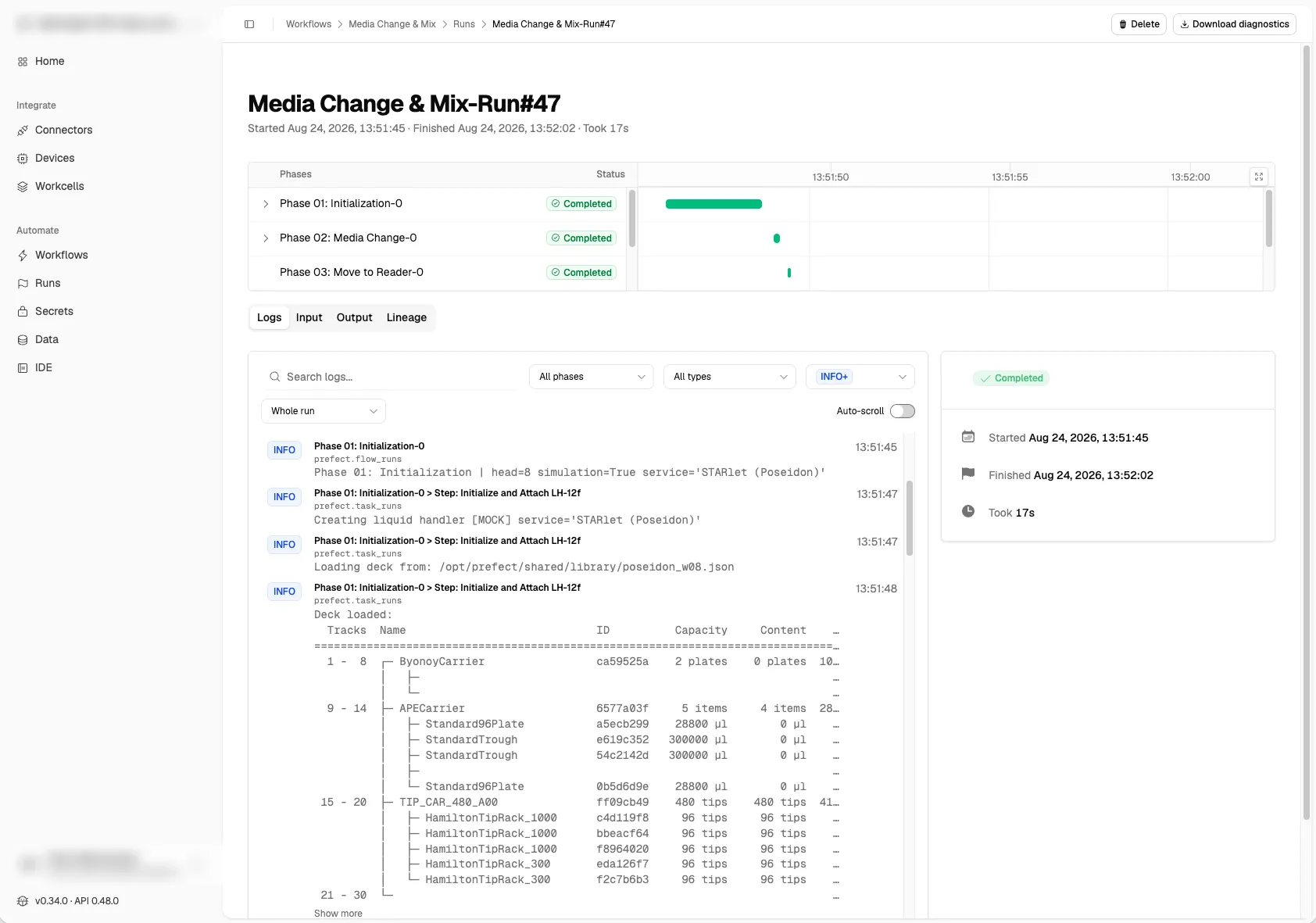
- API:
GET /runs/{run_id}/logs(relative to your API base URL) returns a run's logs, oldest first, and filters by phase, step, severity, logger, message text, and time window. See Workflows and runs via REST API. - Diagnostics archive: to hand a run's full log to support, download its diagnostics.
Automatic log entries
The workflow engine logs these events without any code changes:
- Start of the workflow, each phase, and each step, and the state each one finishes in.
- Pauses and resumes, for operator input and for a pause requested in the app or API.
- Package versions at the run start.
The liquid handling and labware libraries log the commands they run by default. Each entry comes from a unitelabs.* logger and gives the command name and its arguments:
- Pipetting: moving channels, picking up and discarding tips, aspirating, dispensing, and mixing
- Plate transport: picking up, moving, and putting down labware, and loading and unloading carriers with the autoload
- Labware state: adding and removing labware to deck, and adding and removing liquid to containers
Writing logs from workflow code
Use the SDK's get_logger() anywhere in a workflow, phase, or step to add your own log entries:
from unitelabs.sdk import get_logger, phase

@phase()
async def sample_preparation(plate: Plate, water_source: Plate) -> Plate:
    logger = get_logger()

    logger.info("Starting sample preparation")
    await transfer_liquid(source=water_source, target=plate, volume=200)
    logger.info("Transfer complete", extra={"volume_ul": 200, "target": plate.identifier})

    return plate
Log entries are linked to the phase and step that emitted them, so you can filter the run log to a specific phase without custom tooling.
Related
- Runs: logs are scoped to a specific run
- Artifacts: structured data produced by a run, separate from execution logs
- Error handling: errors appear in logs with full stack traces and retry history
Last updated