

Positioning & movement
In this guide the positioning system of the liquid handler is explained. Positions of the pipetting channels with and without attachments will be read out and moved to.
Prerequisites
- A switched on Hamilton STAR device
- A running Hamilton STAR connector (see the Hamilton Microlab STAR device guide for installation and setup).
- Basic understanding of the liquid handler class (See the liquid handler tutorial)
Coordinate System & Origin
The Hamilton STAR uses the default UniteLabs deck coordinate system. All measurements are in millimeters.
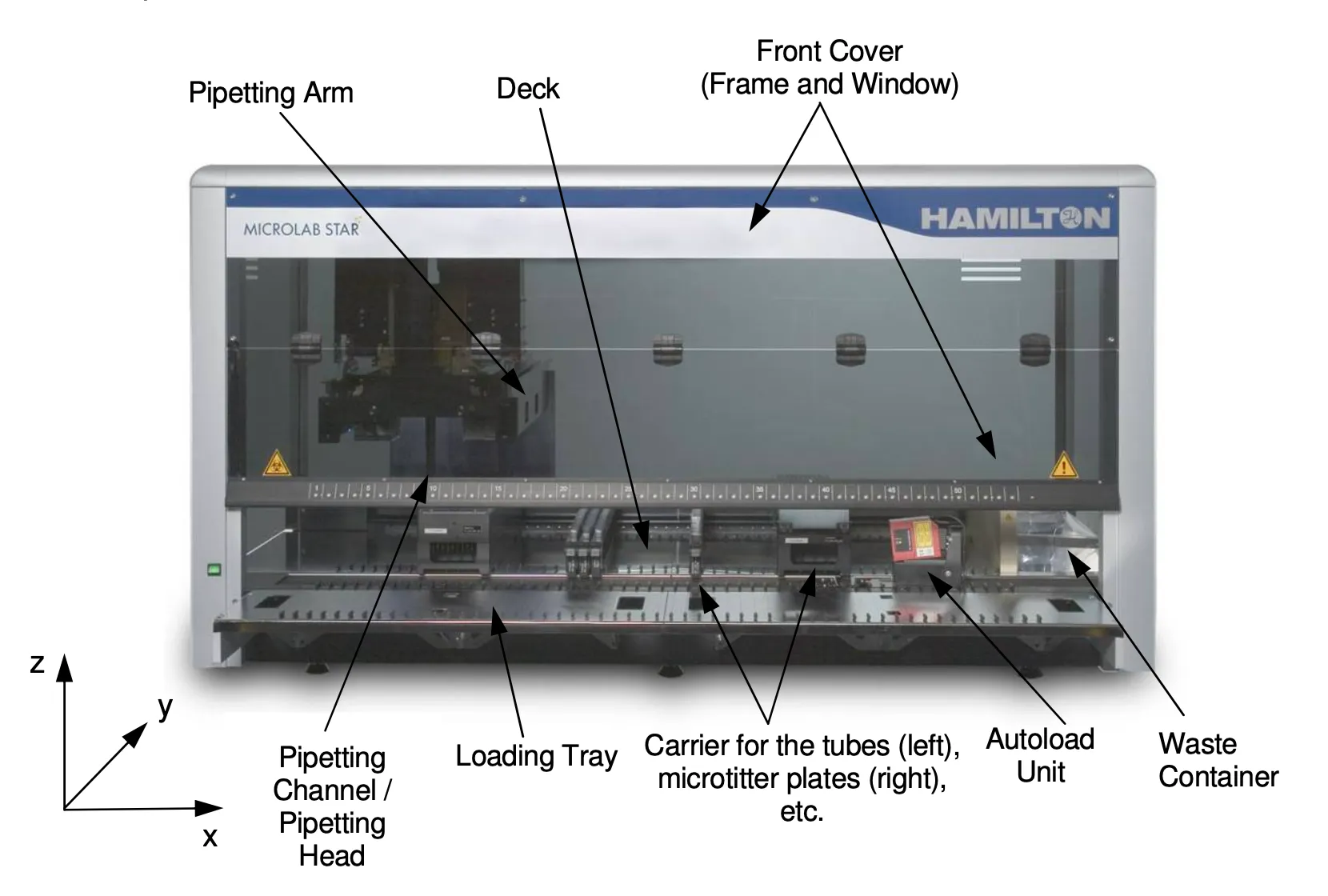
The deck origin is not on the metal deck, but 100 mm below it. A carrier or instrument placed on the deck therefore sits at z=100. The first track is marked 100 mm to the right of the origin, so a carrier on track 1 has x=100. Hardware setup defines x. The y-range is also constrained, depending on the hardware setup such as robot arm and pipetting tools defines x-range accessible by each tool. Carriers on tracks have their origin at y=63.
The figure below shows the constraints for various pipetting channel configurations.
Always check the device configuration using the hamilton.get_configuration() command. The response will provide information of the x-, y-, and z-ranges read out from instrument firmware (See the liquid handler tutorial).
 © by Hamilton Company
Positioning
Different models have different ranges in the x-direction depending on the deck size. The range of the liquid handler arm can be requested with:
configuration = await hamilton.get_configuration()
print(configuration.min_x, configuration.max_x)
# 350, 1140
The position of the pipetting channels can be accessed through the pipetting head "pipettes" module. The x position is identical for all pipetting channels, as they are mounted on the same arm.
locations = await hamilton.pipettes.current_locations()

print(locations)
# [
#   Vector(x=415, y=70, z=245),
#   Vector(x=415, y=79, z=245),
#   ...
# ]
The location for an individual pipette can be requested with:
locations = await hamilton.pipettes[0].current_location()

print(locations)
# Vector(x=415, y=70, z=245)
When moving the arm on the x-axis, the robot will always move up to the safe traverse height, when using the commands below. When using low-level commands for movement, it is recommended to always set the channels to a safe traverse height.
await hamilton.pipettes.api.set_z_positions_to_safety()
Regular movement in the x-, y-, and z-direction for a single or multiple channels at once:
# move all pipettes to an absolute location
await hamilton.pipettes.move_to(locations=[
  Vector(x=415, y=70, z=245),
  Vector(x=415, y=61, z=245),
  ...
])

# move a single pipette to an absolute location
await hamilton.pipettes[0].move_to(location=Vector(x=415, y=70, z=245))
hamilton.get_configuration() command returns the pip_channel_gap, which is - in most configurations - 9 mm. So always keep that 9 mm gap in mind when designing new labware or when moving channels around.Movement is also possible in an unsafe way. You can move your channels relative to their current location. With this method, the channels do not move to the safe traverse height first. It might be helpful during development but should not be used in automated workflows due to safety reasons.
await hamilton.pipettes[0].move_by(offset=Vector(y=9))
Last updated