

Data sources
The UniteLabs Data Warehouse is a managed PostgreSQL database for structured experiment data. Workflows write records using the WarehouseClient SDK — the same data is immediately queryable from external tools like DBeaver, Jupyter, or BI dashboards.
What you can do
- Define typed data models and create tables using SQLModel
- Write individual records or bulk-insert DataFrames from workflow tasks
- Query, filter, and upsert records by primary key or arbitrary field values
- Connect any PostgreSQL-compatible client using the connection string from your secrets
- Browse table contents in the platform UI or DBeaver without writing SQL
Credentials
The warehouse connection string is stored in the warehouse-admin secret:
from unitelabs.sdk import AsyncApiClient

async with AsyncApiClient() as client:
    secrets = await client.get("/secrets")
    warehouse_secret = next(s for s in secrets if s["name"] == "warehouse-admin")
    params = warehouse_secret["parameters"]

# postgresql+asyncpg://user:password@host:port/database
async_url = (
    f"postgresql+asyncpg://{params['username']}:{params['password']}"
    f"@{params['host']}:{params['port']}/{params['database']}"
)
All tables live in the warehouse schema. The WarehouseClient sets search_path = warehouse automatically per session.
Define a data model
Models are plain Python classes that extend SQLModel with table=True. Keep them in a shared models.py so they are importable by both flows and query scripts:
from datetime import datetime
from typing import Any

import sqlalchemy as sa
from sqlmodel import Field, SQLModel


class SourceFiles(SQLModel, table=True):
    __tablename__ = "source_files"

    id: int | None = Field(default=None, primary_key=True)
    file_path: str
    s3_object_path: str
    connector_name: str
    instrument_type: str
    file_type: str | None = None
    group_identifier: str | None = None
    file_metadata: dict[str, Any] | None = Field(
        default=None, sa_type=sa.JSON
    )
    updated_at: datetime
Call await warehouse.ensure_tables_exist() once on startup to create any missing tables.
Write and query records
WarehouseClient exposes four methods for common operations:
from datetime import datetime, timezone

record = SourceFiles(
    file_path="/data/labchip/results/run_001.csv",
    s3_object_path="data/instruments/labchip/run_001.csv",
    connector_name="File System (LabChip)",
    instrument_type="labchip",
    updated_at=datetime.now(tz=timezone.utc),
)
created = await warehouse.create_record(record)
# Fetch all LabChip files
records: list[SourceFiles] = await warehouse.query_records(
    SourceFiles,
    instrument_type="labchip",
)

# Fetch a single record by path
record = await warehouse.get_record(
    SourceFiles,
    file_path="/data/labchip/results/run_001.csv",
)
# Insert or update on file_path conflict
await warehouse.upsert_record(
    SourceFiles(
        file_path="/data/labchip/results/run_001.csv",
        s3_object_path="data/instruments/labchip/run_001.csv",
        connector_name="File System (LabChip)",
        instrument_type="labchip",
        updated_at=datetime.now(tz=timezone.utc),
    )
)
import pandas as pd

df = pd.read_csv("labchip_results.csv")

await warehouse.bulk_insert_df(
    table_name="labchip_results",
    df=df,
    conflict_columns=["run_id", "plate_barcode", "well"],
    update_columns=["sample_id", "concentration", "purity_percent"],
)
Connect with DBeaver
DBeaver is the recommended GUI for ad-hoc queries and data exploration. Use the connection string from the platform UI to set it up.
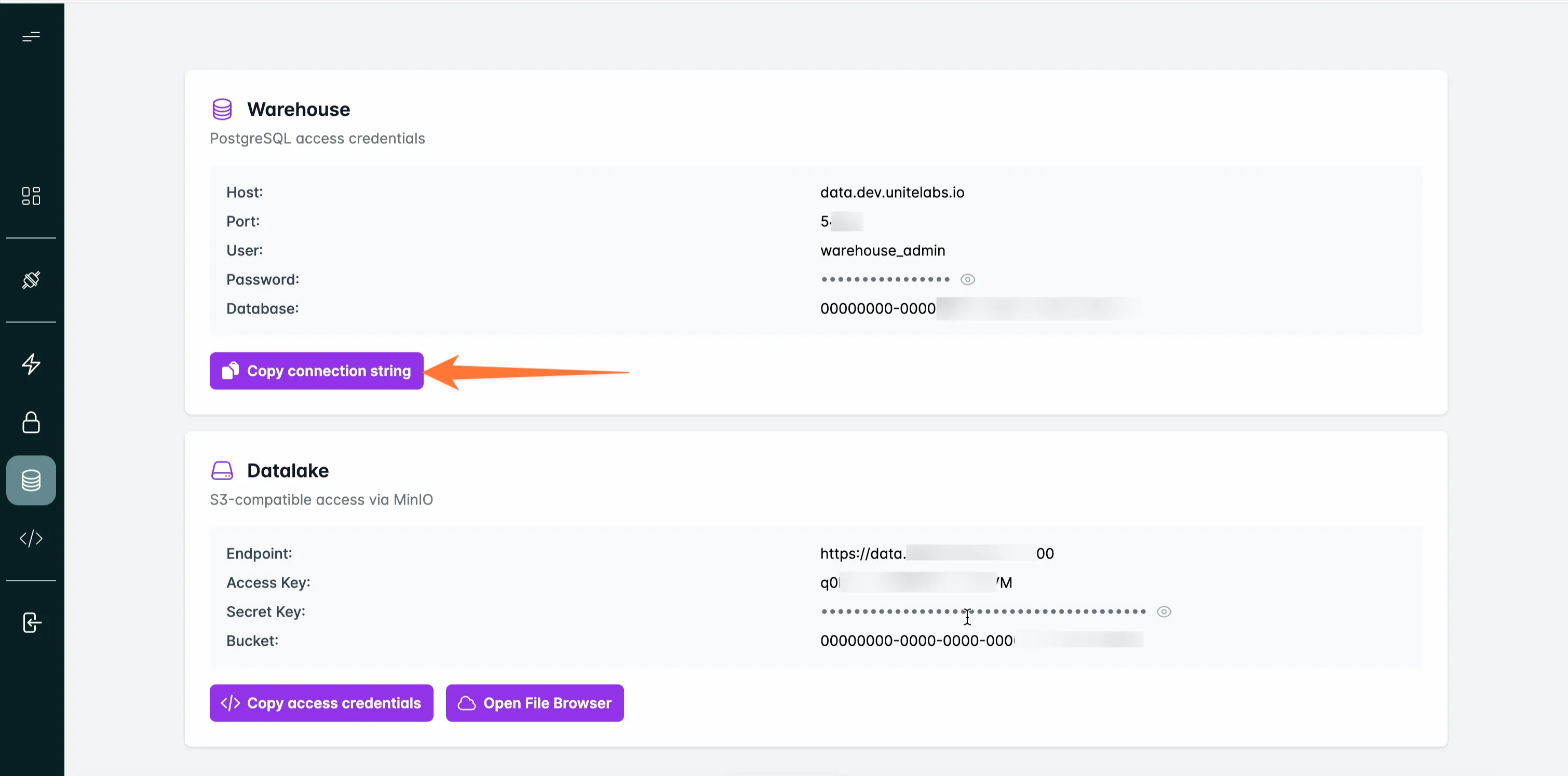
Step 1. In the UniteLabs platform, go to Data → Warehouse and click Copy connection string:
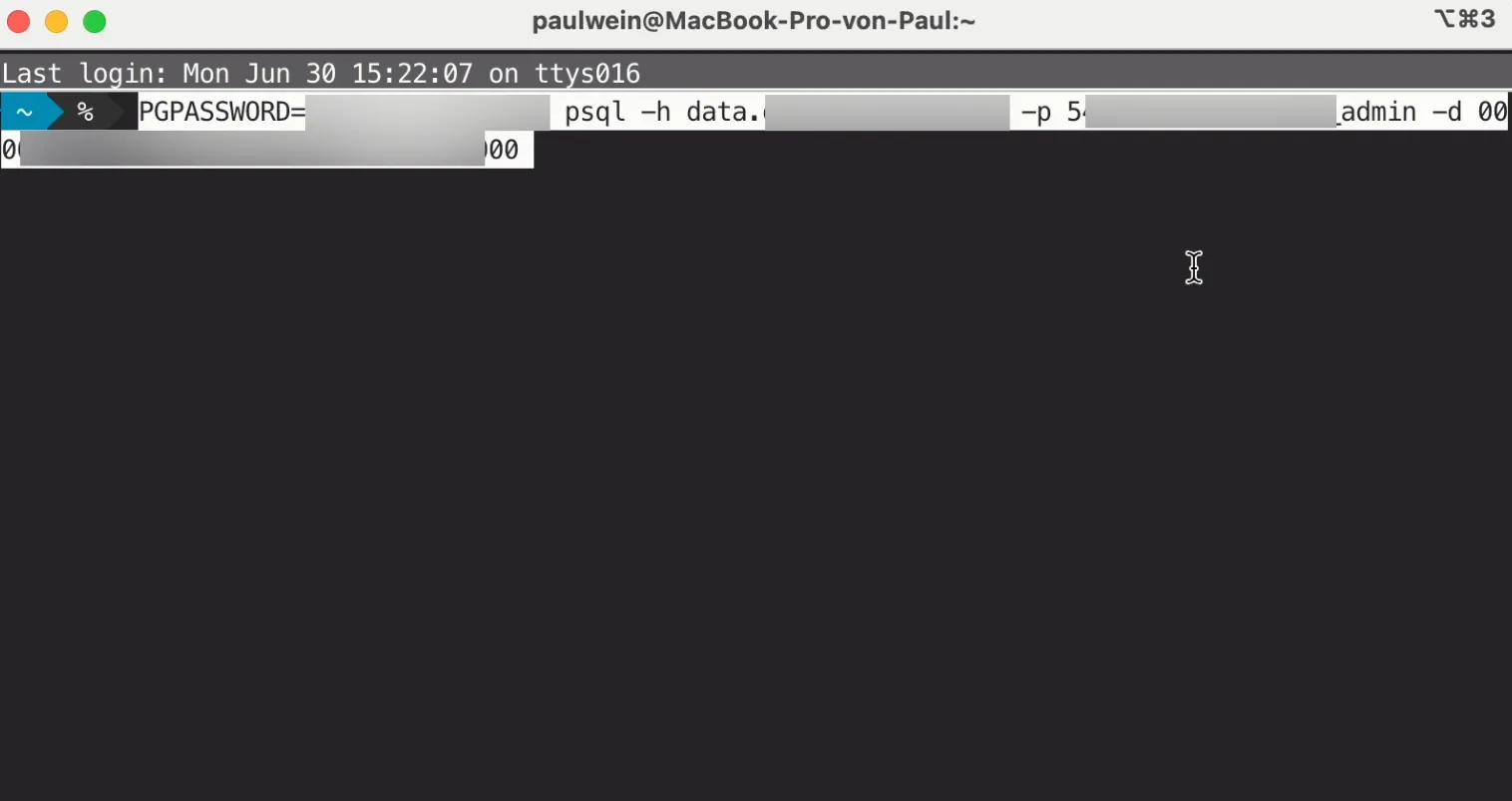
Step 2. In DBeaver, create a new PostgreSQL connection and paste the URL into the connection field:
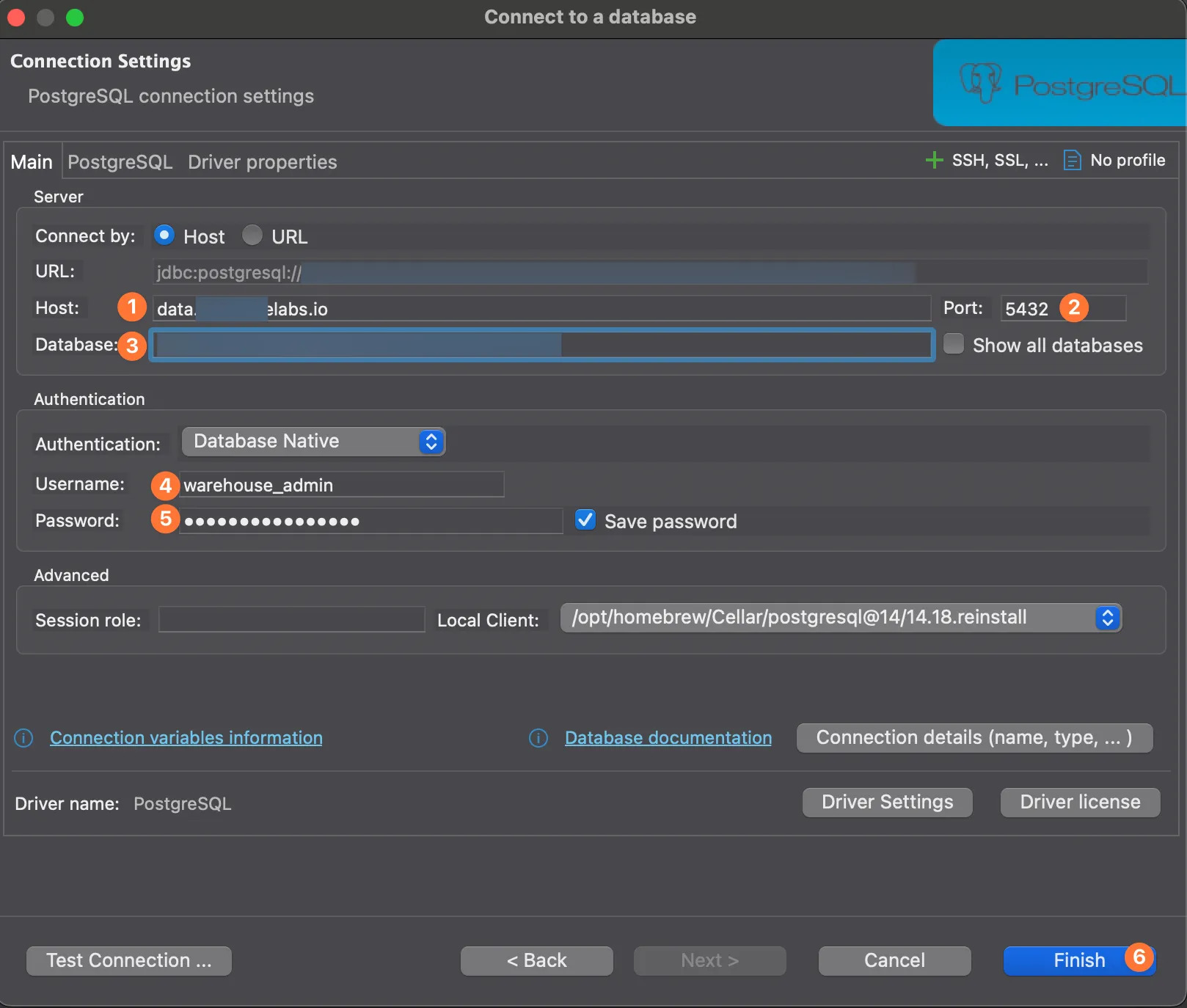
Step 3. Configure the connection settings and click Test Connection:
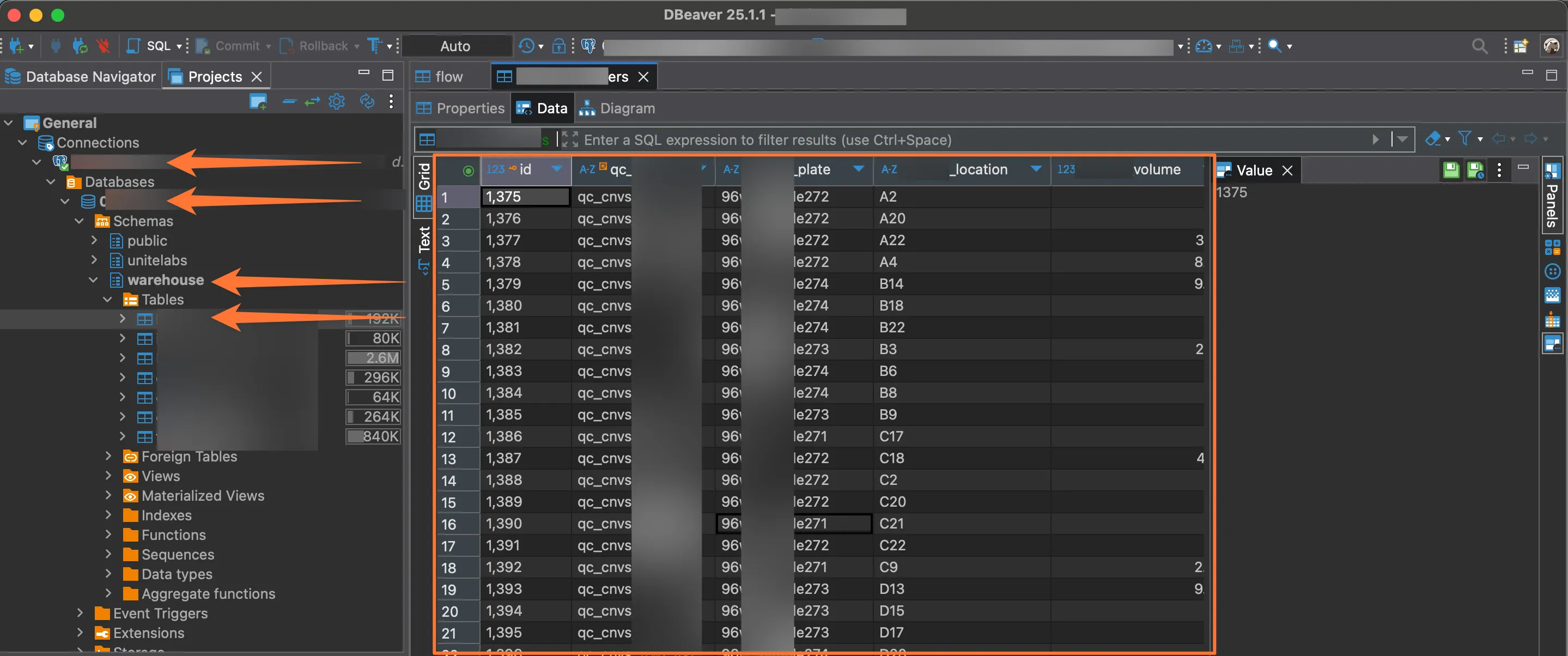
Step 4. Expand the warehouse schema to browse tables and run SQL:
Browse objects in the UI
Navigate to Data → Warehouse in the platform to view all tables and record counts without leaving the browser:
Next steps
- Building an ETL — write to the Warehouse from a Prefect flow
- Secrets — manage warehouse credentials securely