

Secrets
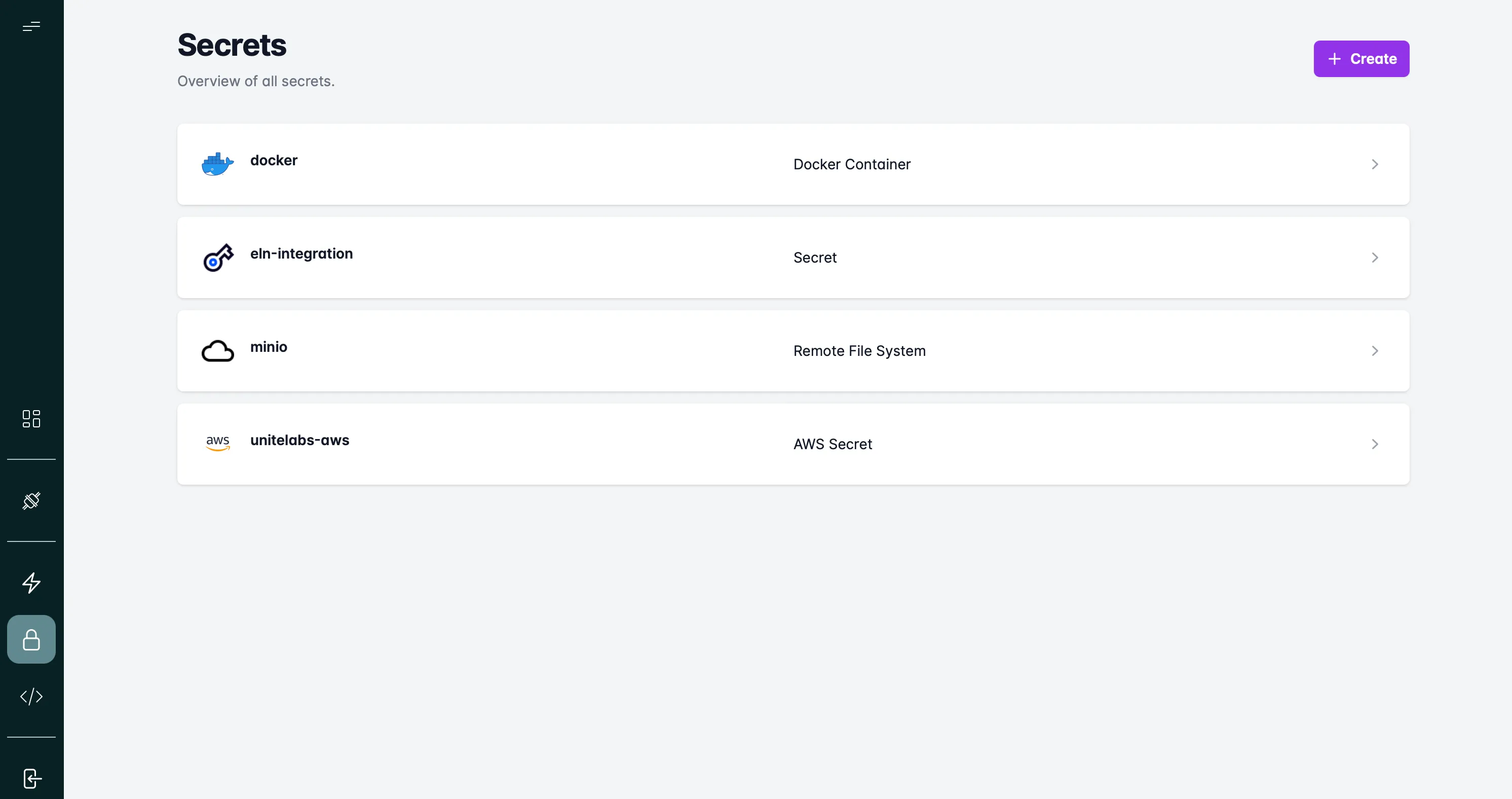
Overview
Secrets in UniteLabs provide a secure way to store sensitive credentials—such as API keys, tokens, and passwords—that are essential for accessing external systems and instruments in your workflows.
Instead of hardcoding credentials or sharing them manually, you can define and manage secrets in a centralized, encrypted environment. This helps ensure security, scalability, and repeatability when running lab automation.
With UniteLabs Secrets, you can:
- Store environment-specific credentials for APIs, devices, and services
- Reuse secrets across multiple workflows without exposing sensitive values
- Rotate or revoke credentials without changing workflow logic
- Categorize secrets by type (e.g. string, JSON, connection) for structured access
Secrets integrate seamlessly into the workflow engine, letting scientists and engineers focus on automation logic while maintaining compliance and security across labs.
Authentication
All API calls require a bearer token obtained from the UniteLabs identity provider. Replace <tenant-id> with your organization's tenant ID:
curl -X POST \
  "https://auth.unitelabs.io/realms/<tenant-id>/protocol/openid-connect/token" \
  -H "Content-Type: application/x-www-form-urlencoded" \
  -d "grant_type=client_credentials" \
  -d "client_id=<your-client-id>" \
  -d "client_secret=<your-client-secret>"
import httpx

response = httpx.post(
    "https://auth.unitelabs.io/realms/<tenant-id>/protocol/openid-connect/token",
    data={
        "grant_type": "client_credentials",
        "client_id": "<your-client-id>",
        "client_secret": "<your-client-secret>",
    },
)
token = response.json()["access_token"]
Use the returned access_token as Authorization: Bearer <token> on every subsequent request.
unitelabs-sdk) — it handles token acquisition and refresh automatically. See the examples below.Endpoints
Base URL: http://unitelabs-api.<tenant-id>.svc
| Method | Path | Description |
|---|---|---|
GET | /v1/secrets/types | List available secret types |
GET | /v1/secrets/schemas/{slug} | Get the JSON schema for a secret type |
GET | /v1/secrets | List secrets (filter by name) |
GET | /v1/secrets/{id} | Get a secret by ID |
POST | /v1/secrets | Create a new secret |
PATCH | /v1/secrets/{id} | Update an existing secret |
DELETE | /v1/secrets/{id} | Delete a secret |
List secret types
Returns the available secret types (e.g. string, json, aws-s3, postgres).
curl -X GET \
  "http://unitelabs-api.<tenant-id>.svc/v1/secrets/types" \
  -H "Authorization: Bearer <token>"
from unitelabs.sdk import AsyncApiClient

async with AsyncApiClient() as client:
    types = await client.get("/secrets/types")
    print(types)
Get schema for a secret type
Returns the JSON schema describing the required fields for a given secret type slug.
curl -X GET \
  "http://unitelabs-api.<tenant-id>.svc/v1/secrets/schemas/aws-s3" \
  -H "Authorization: Bearer <token>"
from unitelabs.sdk import AsyncApiClient

async with AsyncApiClient() as client:
    schema = await client.get("/secrets/schemas/aws-s3")
    print(schema)
Create a secret
Creates a new secret. The type field must be a valid slug from /v1/secrets/types. The parameters object must match the schema for that type.
curl -X POST \
  "http://unitelabs-api.<tenant-id>.svc/v1/secrets" \
  -H "Authorization: Bearer <token>" \
  -H "Content-Type: application/json" \
  -d '{
    "name": "datalake-admin",
    "type": "aws-s3",
    "parameters": {
      "minio_root_user": "my-access-key",
      "minio_root_password": "my-secret-key",
      "aws_client_parameters": {
        "endpoint_url": "http://minio.svc:9000",
        "bucket_name": "lab-data"
      }
    }
  }'
from unitelabs.sdk import AsyncApiClient

async with AsyncApiClient() as client:
    secret = await client.post("/secrets", json={
        "name": "datalake-admin",
        "type": "aws-s3",
        "parameters": {
            "minio_root_user": "my-access-key",
            "minio_root_password": "my-secret-key",
            "aws_client_parameters": {
                "endpoint_url": "http://minio.svc:9000",
                "bucket_name": "lab-data",
            },
        },
    })
    print(secret["id"])  # store this ID for updates/deletes
Response 201 Created:
{
  "id": "a3bb189e-8bf9-3888-9912-ace4e6543002",
  "name": "datalake-admin",
  "type": "aws-s3"
}
List secrets
Returns all secrets matching the name query parameter. Pass a partial name to search, or an exact name to fetch a specific secret.
# List all secrets with a name starting with "datalake"
curl -X GET \
  "http://unitelabs-api.<tenant-id>.svc/v1/secrets?name=datalake" \
  -H "Authorization: Bearer <token>"
from unitelabs.sdk import AsyncApiClient

async with AsyncApiClient() as client:
    secrets = await client.get("/secrets")

# Find a specific secret by name
datalake = next(s for s in secrets if s["name"] == "datalake-admin")
params = datalake["parameters"]
Response 200 OK:
[
  {
    "id": "a3bb189e-8bf9-3888-9912-ace4e6543002",
    "name": "datalake-admin",
    "type": "aws-s3",
    "parameters": {
      "minio_root_user": "my-access-key",
      "minio_root_password": "my-secret-key",
      "aws_client_parameters": {
        "endpoint_url": "http://minio.svc:9000",
        "bucket_name": "lab-data"
      }
    }
  }
]
Get a secret by ID
Fetch a single secret by its UUID.
curl -X GET \
  "http://unitelabs-api.<tenant-id>.svc/v1/secrets/a3bb189e-8bf9-3888-9912-ace4e6543002" \
  -H "Authorization: Bearer <token>"
from unitelabs.sdk import AsyncApiClient

SECRET_ID = "a3bb189e-8bf9-3888-9912-ace4e6543002"

async with AsyncApiClient() as client:
    secret = await client.get(f"/secrets/{SECRET_ID}")
    params = secret["parameters"]
Update a secret
Partial update — only include fields you want to change. Useful for rotating credentials without recreating the secret or updating any workflow code that references it by name.
curl -X PATCH \
  "http://unitelabs-api.<tenant-id>.svc/v1/secrets/a3bb189e-8bf9-3888-9912-ace4e6543002" \
  -H "Authorization: Bearer <token>" \
  -H "Content-Type: application/json" \
  -d '{
    "parameters": {
      "minio_root_password": "new-rotated-secret-key"
    }
  }'
from unitelabs.sdk import AsyncApiClient

SECRET_ID = "a3bb189e-8bf9-3888-9912-ace4e6543002"

async with AsyncApiClient() as client:
    updated = await client.patch(f"/secrets/{SECRET_ID}", json={
        "parameters": {
            "minio_root_password": "new-rotated-secret-key",
        },
    })
Response 200 OK — returns the full updated secret object.
Delete a secret
Permanently removes a secret. Workflows that reference it by name will fail until a replacement is created.
curl -X DELETE \
  "http://unitelabs-api.<tenant-id>.svc/v1/secrets/a3bb189e-8bf9-3888-9912-ace4e6543002" \
  -H "Authorization: Bearer <token>"
from unitelabs.sdk import AsyncApiClient

SECRET_ID = "a3bb189e-8bf9-3888-9912-ace4e6543002"

async with AsyncApiClient() as client:
    await client.delete(f"/secrets/{SECRET_ID}")
Response 200 OK.
Common use cases
Load credentials in a workflow
The most common pattern: load all secrets at the start of a Prefect task and extract the ones you need by name.
curl -X GET \
  "http://unitelabs-api.<tenant-id>.svc/v1/secrets?name=warehouse-admin" \
  -H "Authorization: Bearer <token>"
from unitelabs.sdk import AsyncApiClient


async def load_credentials() -> dict:
    """Load all platform secrets and return by name."""
    async with AsyncApiClient() as client:
        secrets = await client.get("/secrets")

    return {s["name"]: s["parameters"] for s in secrets}


# In a Prefect task or flow
async def my_task():
    creds = await load_credentials()

    # S3/MinIO credentials
    s3 = creds["datalake-admin"]
    access_key = s3["minio_root_user"]
    secret_key = s3["minio_root_password"]
    endpoint = s3["aws_client_parameters"]["endpoint_url"]

    # Warehouse credentials
    db = creds["warehouse-admin"]
    db_url = (
        f"postgresql+asyncpg://{db['username']}:{db['password']}"
        f"@{db['host']}:{db['port']}/{db['database']}"
    )
Rotate a credential without touching workflow code
When a key is compromised or expires, update only the secret value. Every workflow that loads credentials at runtime will pick up the new value on its next run — no code changes required.
# 1. Find the secret ID
curl -X GET \
  "http://unitelabs-api.<tenant-id>.svc/v1/secrets?name=benchling-credentials" \
  -H "Authorization: Bearer <token>"

# 2. Update only the API key field
curl -X PATCH \
  "http://unitelabs-api.<tenant-id>.svc/v1/secrets/<secret-id>" \
  -H "Authorization: Bearer <token>" \
  -H "Content-Type: application/json" \
  -d '{"parameters": {"api_key": "<new-api-key>"}}'
from unitelabs.sdk import AsyncApiClient


async def rotate_api_key(secret_name: str, new_key: str) -> None:
    async with AsyncApiClient() as client:
        # Find the secret by name
        secrets = await client.get("/secrets")
        target = next(s for s in secrets if s["name"] == secret_name)

        # Patch only the changed field
        await client.patch(f"/secrets/{target['id']}", json={
            "parameters": {"api_key": new_key},
        })
        print(f"Rotated '{secret_name}' successfully")


# asyncio.run(rotate_api_key("benchling-credentials", "sk-new-key-..."))
Bootstrap secrets for a new environment
Create all required secrets for a fresh deployment in one script:
curl -X POST \
  "http://unitelabs-api.<tenant-id>.svc/v1/secrets" \
  -H "Authorization: Bearer <token>" \
  -H "Content-Type: application/json" \
  -d '{
    "name": "warehouse-admin",
    "type": "postgres",
    "parameters": {
      "host": "postgres.svc",
      "port": 5432,
      "database": "unitelabs",
      "username": "warehouse_user",
      "password": "secure-password",
      "schema_name": "warehouse"
    }
  }'
from unitelabs.sdk import AsyncApiClient

SECRETS = [
    {
        "name": "datalake-admin",
        "type": "aws-s3",
        "parameters": {
            "minio_root_user": "access-key",
            "minio_root_password": "secret-key",
            "aws_client_parameters": {
                "endpoint_url": "http://minio.svc:9000",
                "bucket_name": "lab-data",
            },
        },
    },
    {
        "name": "warehouse-admin",
        "type": "postgres",
        "parameters": {
            "host": "postgres.svc",
            "port": 5432,
            "database": "unitelabs",
            "username": "warehouse_user",
            "password": "secure-password",
            "schema_name": "warehouse",
        },
    },
]


async def bootstrap_secrets() -> None:
    async with AsyncApiClient() as client:
        existing = await client.get("/secrets")
        existing_names = {s["name"] for s in existing}

        for secret in SECRETS:
            if secret["name"] in existing_names:
                print(f"Skipping '{secret['name']}' — already exists")
                continue
            await client.post("/secrets", json=secret)
            print(f"Created '{secret['name']}'")
Next steps
- Object Storage — uses the
datalake-adminsecret for MinIO access - Data Sources — uses the
warehouse-adminsecret for PostgreSQL - Building an ETL — loads both secrets at flow startup